























































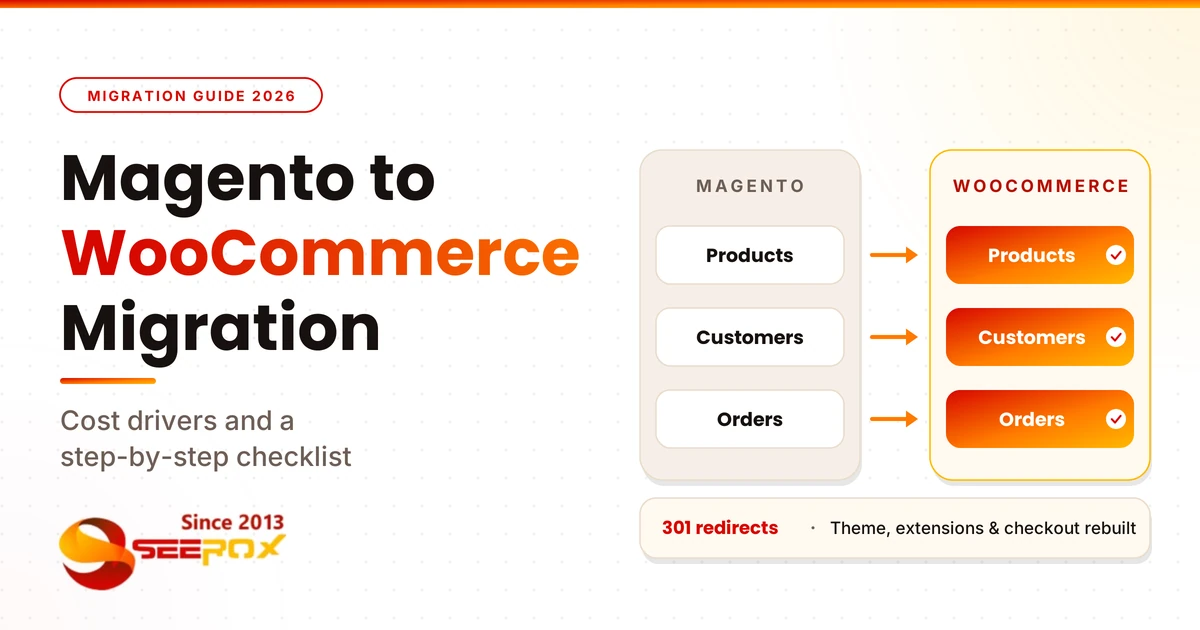
Magento to WooCommerce Migration: Cost Drivers and a Step-by-Step Checklist
Why Magento stores are looking at WooCommerce right now
Many store owners start this search for one of two reasons: Magento costs more effort than the store earns, or their Magento version is running out of support. The second reason is more urgent today. Adobe’s lifecycle policy shows that standard support for Adobe Commerce 2.4.6 ended on August 11, 2026. Versions 2.4.4 and 2.4.5 reached the end of standard support in 2025. Adobe also says PHP 8.2, which some 2.4.6 stores use, reaches end of life on December 31, 2026, and it advises those merchants to plan an upgrade or migration before then to protect PCI compliance.
Adobe’s extended support applies to Adobe Commerce customers. If you run Magento Open Source, ask your developer exactly which fixes your version still receives.
Magento 1 is already unsupported, so those stores face the same question with less time.
An unsupported version is not an emergency on its own. But it means security fixes get harder to count on, so you should choose a path: upgrade Magento, or move.
Is moving to WooCommerce the right call?
Migration often makes sense when:
- Maintaining Magento needs specialized developers for small changes.
- Your hosting and caching setup is more complex than your traffic needs.
- Your extension stack keeps growing and each update is a risk.
- Your marketing team wants to edit content in WordPress without a developer.
Staying on Magento, or upgrading it, may be the better choice when:
- Your store depends on deep Magento-native features that have no good WooCommerce equivalent.
- You run very large catalogs or highly complex multi-store logic and have a team that already manages it well.
- The business cannot take on a rebuild right now.
A good agency will tell you which group you are in during the audit. If someone promises that every store should move, be careful.
What does a Magento to WooCommerce migration cost?
We cannot give you an honest flat price here, and neither can anyone who has not seen your store. Costs vary a lot depending on the store.
These are the factors that move the price most:
| Cost driver | Why it matters |
|---|---|
| Catalog size and product types | Configurable products, many attributes, and custom options take more mapping and checking. |
| Extensions and custom modules | Magento extensions cannot be moved as they are. Each one is replaced, configured, or custom-built. |
| Integrations | ERP, tax, shipping, payment, and CRM connections must be rebuilt and tested. |
| Design | Rebuilding your current look is different work from a redesign. |
| Customer groups and B2B pricing | Group pricing and special catalogs need a WooCommerce plan. |
| Order history and reviews | More history means more validation work. |
| Hosting and launch support | Your new hosting, staging, and cutover plan add time. |
Ongoing costs matter too. WooCommerce itself is free, but you will pay for hosting, plugins and maintenance. Compare your total yearly cost on both platforms, not just the project fee.
What moves and what you rebuild
| Usually moves with tools | Usually rebuilt or checked by hand |
|---|---|
| Products and categories | Theme and storefront design |
| Customers | Extension features (shipping rules, loyalty, payments) |
| Order history | Promotion and discount rules |
| Product reviews (tool-dependent) | Checkout and tax logic |
| Meta titles and descriptions (tool-dependent) | Integrations to other systems |
| Basic CMS pages (tool-dependent) | Customer passwords: customers may need to reset their passwords because Magento passwords often can’t be reused in WordPress. |
Whether passwords and reviews carry over depends on the tool you choose, so ask before you pick one.
For Magento 2 stores, WooCommerce lists an extension called Magento Migration for WooCommerce that moves products, customers and orders through the Magento API. Other tools and services exist as well, including plugins that read the Magento database directly. Tools are good for moving data. They do not rebuild your extensions, design or integrations.
Magento to WooCommerce migration checklist
Use this list to plan the project or to check a quote.

Before you start
- Back up your Magento files and database.
- List every extension and custom module, and note what each one does.
- List every integration: ERP, tax, shipping, payment, email, CRM.
- Export all live URLs, and your top pages and queries from Google Search Console.
- Record your current speed, conversion rate and top landing pages as a baseline.
- Decide what to keep, drop or redesign. This is a good time to clean old products.
Build and move
- Set up WordPress and WooCommerce on a staging site, not on your live domain.
- Configure currency, tax, shipping zones and payment gateways first.
- Choose your URL structure carefully. Changing it later breaks your redirects.
- Run a test import with a small sample, then check variants, prices, images and stock.
- Run the full import and compare counts of products, customers and orders.
- Rebuild the theme, extensions, promotions and integrations.
Test and launch
- Place test orders with every payment method and shipping option.
- Check emails, tax calculation, coupons and customer login.
- Build and test a one-to-one 301 redirect map. Check titles, descriptions, canonical tags and the XML sitemap.
- Schedule the cutover for your lowest-traffic window.
- Keep Magento available until you confirm the new store works.
After launch
- Submit the new sitemap and watch Search Console for crawl errors. Watch orders, checkout errors and 404s daily at first.
- Re-test integrations once real orders flow.
- Set up backups, updates and monitoring.
Not sure what your current store needs?
Before you plan anything, run a Free Site Health Check + 1 Bug Fix from Seerox. It covers security and SSL, SEO and technical health, mobile and browser issues, site structure and performance. It takes few seconds, needs no credit card and carries no obligation. Run your free site health check →How to protect your SEO during the move
A migration can affect search traffic if URLs and redirects are not handled properly. You cannot control how Google reacts, and no one can promise your rankings. You can reduce the risk:- Map every important old URL to its new URL. Magento URLs often end in .html or use category paths. Decide whether to keep them or change them, and redirect every change.
- Use one-hop 301 redirects. Avoid chains where one redirect leads to another. Google explains how in its guides on site moves with URL changes and 301 redirects.
- Carry over titles and meta descriptions so indexed pages keep the signals they already have.
- Check filter and layered-navigation URLs. Magento stores can create many of them. Decide which ones matter.
- Watch Search Console after launch. Fix crawl errors and missing redirects quickly.

DIY tool or professional migration?
A migration tool can be enough for a small store with simple products, standard payment and shipping, and no custom code. Run a free demo or test import first.
Bring in a professional team when you have custom Magento extensions, group pricing, ERP or other integrations, thousands of variants, or a store you cannot afford to break. The extra cost buys planning, testing and a rollback plan.
Common mistakes to avoid
- Treating it as a data copy. Extensions, promotions and checkout rules do not copy over.
- Skipping the redirect map. This is the most common cause of avoidable traffic loss.
- Switching DNS too early. Test on staging first.
- Forgetting the small integrations. Tax, shipping labels and email tools often get missed.
- Not testing real orders. Place test orders before customers do.
- Having no rollback plan. Keep the old store available until you are sure.
How Seerox handles Magento to WooCommerce migrations
Seerox runs Magento to WooCommerce migrations in four steps:
- Audit: we map your catalog, customer records, order history, custom attributes and every third-party integration before building.
- Migrate: products, categories, customers, order history and reviews move into WooCommerce with attributes mapped carefully.
- Rebuild: your storefront can match your current design or be refreshed, and custom Magento features get a WooCommerce equivalent.
- Launch: 301 redirects and meta data are carried over, checkout and shipping get a QA pass, and cutover happens in your lowest-traffic window.

Your Magento store stays live while the new one is built alongside it, and it is not taken down until you are confident in the new store. The exact approach depends on your store and integrations.
Seerox also builds and maintains WooCommerce stores for industrial and B2B companies, including custom product pages, advanced filtering and Request a Quote workflows. See our industrial ecommerce development service and the XMFG and Snorkel Lifts case studies. After launch, our WordPress maintenance service covers updates, security monitoring, backups and performance work.
FAQ
How long does a Magento to WooCommerce migration take?
It depends on catalog size, extensions, integrations and design work. A simple store moves faster than one with custom modules and ERP connections. We give a timeline after the audit instead of a number up front.
Will I lose my SEO rankings?
Not necessarily, but a migration can affect SEO if redirects and URLs are handled poorly. Planning redirects, keeping page titles and descriptions, and monitoring Search Console after launch reduce the risk. No one can guarantee rankings.
Will my Magento extensions work in WooCommerce?
No. Magento extensions cannot be moved directly. Each one is reviewed and replaced, configured or custom-built in WooCommerce.
Does my Magento store have to go offline?
Not usually. The new store is built on staging while the old one stays live, then a final data sync and launch are coordinated. The exact approach depends on your store.
Is it worth moving if I am on Magento 2?
It can be, especially if support for your version has ended or maintenance costs more than the store justifies. Compare total yearly costs on both platforms and ask for an audit before deciding.
Ready to move off Magento?
Start with a Free Site Health Check + 1 Bug Fix, or ask us for a free quote on your Magento to WooCommerce migration. We will audit your catalog, extensions and integrations and tell you honestly what the move involves. Get your free site health check → | Request a free quote →